
Hosting Path Finder
Not sure which hosting route to take? Select the option that best describes your current goal to find your ideal setup.
I'm just experimenting
I want a simple page for a hobby, a local club, or a personal portfolio and I have $0 budget.
I'm building a business
I want to build a brand, monetize my site, and have full control over SEO and growth.
Recommended: Bundled Free Builder
Since you are just testing the waters, a Free Website Builder (like Wix or Squarespace) is your best bet.
- Pros: Instant setup, no monthly cost, no technical management.
- Cons: You don't own the land, you'll have a branded URL (e.g., site.wix.com), and limited customization.
Recommended: Self-Hosted WordPress
To build a real asset, you need Dedicated Hosting + a Custom Domain.
- Pros: Total ownership, professional .com domain, full SEO control, and infinite plugin options.
- Cons: Small monthly fee ($3-$7/mo), slight learning curve for setup.
Which Host Type?
Key Takeaways
- Hosting is the digital space where your site files live.
- Free website builders include hosting, but you don't own the "land."
- Self-hosting gives you total control and professional branding.
- The choice depends on whether you are hobbying or building a business.
What exactly is web hosting?
To put it simply, Web Hosting is a service that provides the storage space and computing power needed to make a website accessible on the internet. Your website is essentially a collection of files-HTML, CSS, images, and videos. These files need to stay on a computer that is turned on 24/7 and connected to a high-speed internet connection. That computer is called a Server. When someone types your address into their browser, the server "serves" those files to the user's screen.
If you don't have hosting, your website only exists on your own laptop. It's like writing a book and keeping it in your desk drawer; you can read it, but no one else in the world can see it. To make it public, you need to move those files to a professional server.
The "Magic" of Free Website Builders
You might be wondering, "Wait, I used Wix (or Squarespace) and I didn't pay for hosting. How does that work?" The answer is that these platforms use a model called "bundled hosting."
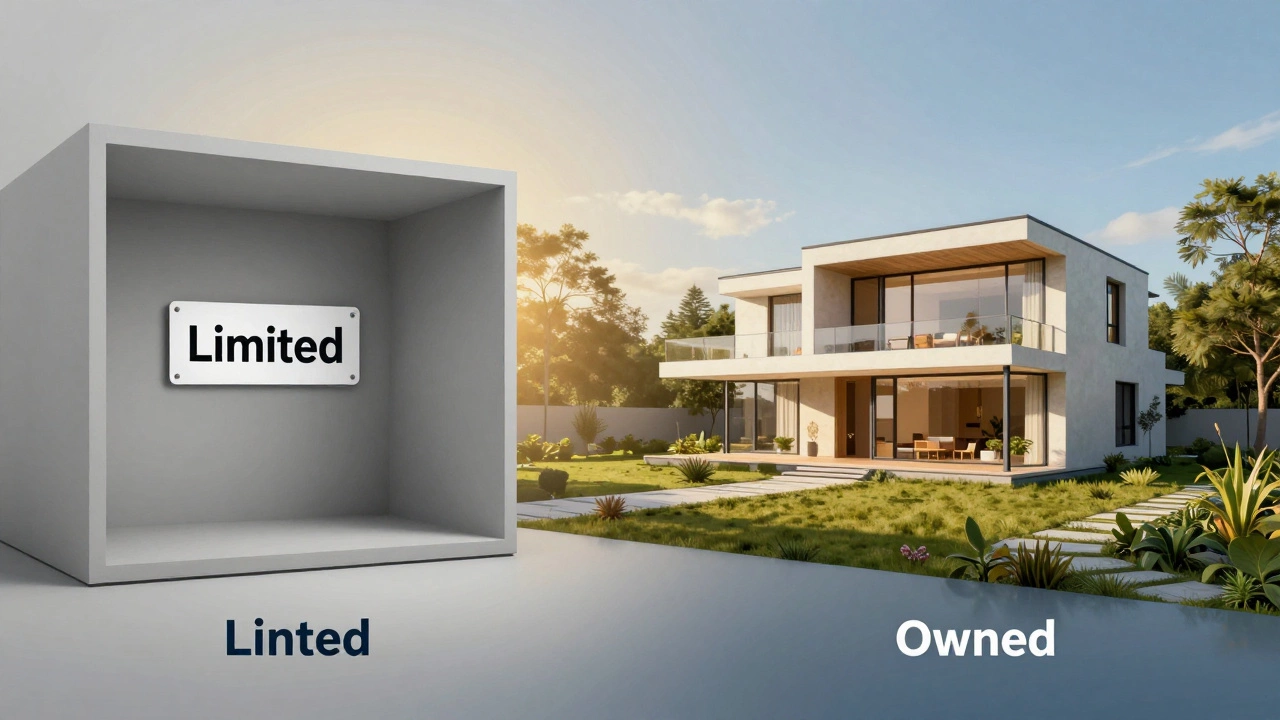
When you use a Free Website Builder, the company is providing the hosting for you as part of the package. They manage the servers, the security, and the technical updates. You don't see a separate bill for hosting because it's baked into the service. It's the digital equivalent of renting an apartment in a managed complex. You don't have to worry about the roof leaking or the plumbing, but you can't knock down a wall or change the layout of the building because you don't own it.
This is a great way to get started. If you just want a digital portfolio or a simple page for a local club, bundled hosting is a lifesaver. However, there is a catch. Because you aren't paying for the space, the provider usually forces their brand onto your site. You'll see "Created with..." banners everywhere, and your URL will look something like mycoolsite.wixsite.com instead of mycoolsite.com.
The Difference Between Hosting and Domain Names
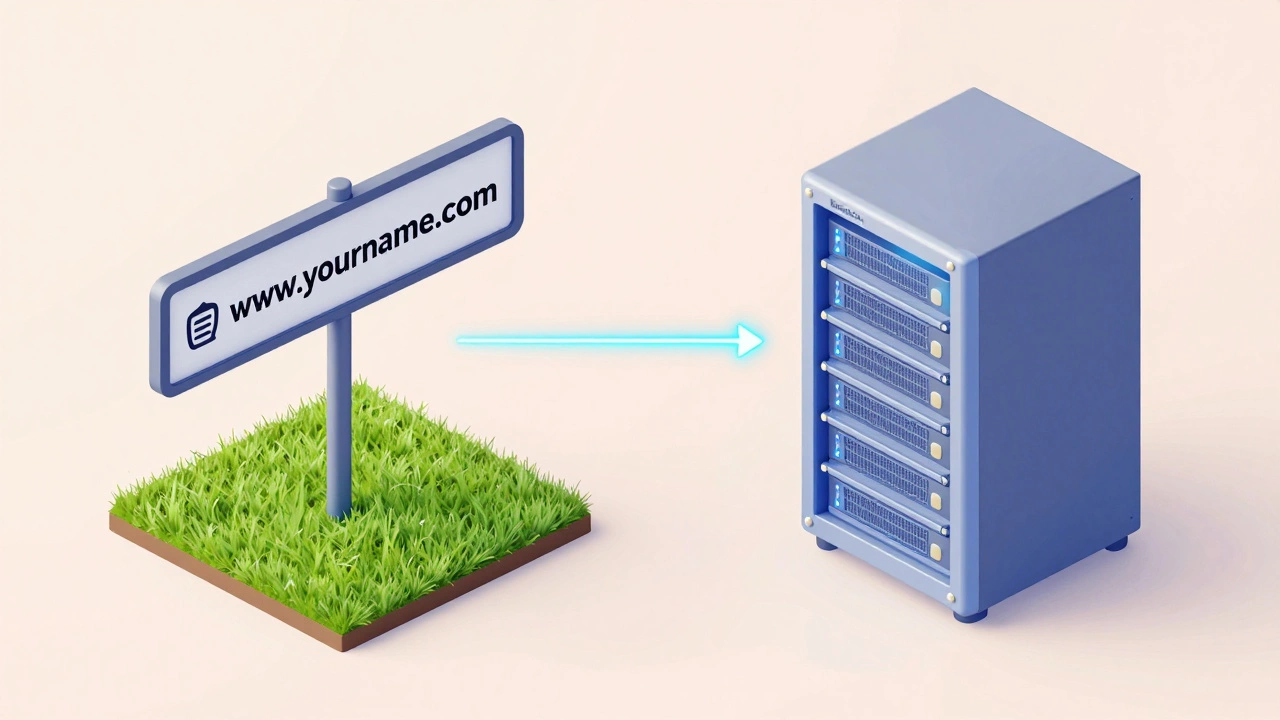
This is the most common point of confusion for newcomers. Many people think that buying a Domain Name (like www.yourname.com) is the same as getting hosting. It is not. Think of your domain as your street address and your hosting as the physical house.
If you buy a domain from a registrar but don't have hosting, you have an address, but when people arrive at that address, they'll find an empty lot. To make the site work, you have to point your domain name to the server where your files are stored. This is done through DNS (Domain Name System) settings. While some companies sell both in one package, they are two different services with two different purposes.
| Feature | Free Website Builders | Self-Hosting (e.g., WordPress.org) |
|---|---|---|
| Setup Speed | Instant | Requires a few steps |
| Ownership | The platform owns the data | You own everything |
| Customization | Limited to provided templates | Infinite (via plugins/code) |
| URL/Domain | Subdomain (e.g., site.wix.com) | Professional (.com, .org, .net) |
| Cost | Free (usually) | Monthly/Annual fee |
When you absolutely need your own host
If you're just playing around, free tools are fine. But the moment you want to treat your website as a business asset, you need a dedicated host. Why? Because of control.
When you use a dedicated hosting provider, you can install WordPress-the software that powers over 40% of the web. Unlike the limited "free" versions of builders, a self-hosted site allows you to install any plugin you want. Want to add a complex booking system for your dental practice? You can. Want to build a massive e-commerce store with thousands of products? You can.
Another massive factor is SEO (Search Engine Optimization). Google and other search engines generally prefer professional domains over subdomains. If your site is mybakery.freebuilder.com, you're telling the world (and the algorithms) that you're a hobbyist. If it's mybakery.com, you're a professional business. Furthermore, self-hosting allows you to optimize your server speed and caching, which are critical factors for ranking higher in search results.
Types of hosting: Which one fits your stage?
If you've decided that the "free" route isn't for you, you'll realize there isn't just one type of hosting. Choosing the wrong one can lead to a site that crashes the moment you get a bit of traffic.
- Shared Hosting: This is the budget-friendly option. You share a server with hundreds of other websites. It's like living in a dorm room; it's cheap and gets the job done, but if your neighbor throws a loud party (gets a massive spike in traffic), your room might shake (your site slows down). This is perfect for new bloggers and small portfolios.
- VPS (Virtual Private Server): A middle ground. You still share a physical server, but you have a dedicated slice of it that no one else can touch. It's like having your own apartment in a big building. More stable, more power, and better for growing businesses.
- Managed WordPress Hosting: This is a specialized service where the host handles all the WordPress-specific technical stuff, like updates and security backups. It's more expensive but saves you hours of headaches.
- Cloud Hosting: Instead of one server, your site lives on a network of servers. If one goes down, another picks up the slack. This is the gold standard for high-traffic sites that cannot afford a single second of downtime.
The risks of "Free Forever"
There is an old saying in the tech world: "If you aren't paying for the product, you are the product." Free hosting isn't always a scam, but it comes with inherent risks. The most dangerous one is platform lock-in.
Many free builders make it incredibly easy to start but nearly impossible to leave. If you spend three years building a beautiful site on a free platform and then decide you want to move to your own host, you might find that you can't export your content easily. You could end up having to rebuild your entire site from scratch. By paying for your own hosting from day one, you keep your files in a format that can be moved to any other provider in the world.
Then there is the issue of security. Cheap or free hosts often lack robust SSL certificates (the little padlock in your browser). Without an SSL, browsers will warn visitors that your site is "Not Secure," which will drive away almost every single person who clicks your link.
Can I host a website on my own computer?
Technically, yes. You can turn your PC into a server. However, this is a bad idea for 99% of people. Your computer would need to be on 24/7, your electricity bill would rise, and your home internet upload speed is likely too slow to handle visitors. Plus, opening your home network to the public internet exposes you to significant security risks and hacking attempts.
Is it expensive to get professional hosting?
Not anymore. Basic shared hosting often starts as low as $3 to $7 per month. For the price of one fancy coffee a month, you can have a professional, fast, and secure website that you actually own.
If I pay for a domain, do I still need hosting?
Yes. The domain is just the address. You still need a host to provide the actual space where your images, text, and code are stored. Without hosting, your domain points to nothing.
Which is better for a beginner: Wix or self-hosted WordPress?
If you want a site up in 30 minutes and don't care about long-term growth or SEO, go with Wix. If you want to build a brand, make money from your site, or have total control over how it looks and works, invest in a host and use WordPress.
What happens if my hosting company goes out of business?
If you have regular backups of your site (which you should), you can simply upload those files to a new hosting provider. This is why owning your data through self-hosting is safer than relying on a bundled free builder.
Next Steps: Making Your Decision
If you are just testing an idea, don't overthink it. Grab a free builder, play with the layouts, and see if you actually enjoy the process of creating content. There is no harm in starting for free to prove your concept.
But the moment you feel this project has legs-maybe you're getting consistent visitors or you're ready to launch a product-make the switch. Buy your own domain, pick a reliable shared host, and install your own software. You'll be moving from a rented room to a house you actually own, and in the digital world, that is the only way to build real equity.