
Google Cloud Free Tier Eligibility Checker
Will this setup be free?
Your current configuration fits within the Google Cloud Always Free limits.
The Truth About the Google Cloud Free Tier
Google Cloud doesn't give you a "free hosting plan" in the way a budget host might. Instead, they have a Free Tier. This is split into two parts: a 90-day trial with credits and a "Always Free" usage limit. For a developer or a hobbyist in India looking to experiment, the 90-day trial is the gateway. You get $300 in credits to spend on any service. This is great for testing a heavy site, but once that money is gone or the 90 days are up, the party ends unless you switch to the Always Free resources.
The Always Free tier is where the real magic happens for small sites. It allows you to run a Google Compute Engine instance-which is basically a virtual server-completely free of charge. However, this is limited to an e2-micro instance. In practical terms, this means you have a very small amount of RAM and CPU power. If your site is a simple portfolio or a low-traffic blog, it works. If you're trying to run a high-traffic e-commerce store, your site will likely crash the moment a few dozen people visit at once.
Breaking Down the Always Free Limits
To keep your hosting free, you have to stick to specific regions. For example, the free e2-micro instance is only available in certain US regions (like us-west1, us-central1). If you're hosting from India and choose a server location in Mumbai or Delhi, you'll be charged because those regions aren't part of the Always Free compute tier. This is a common trap for beginners who pick the closest server for better speed, only to find a bill in their inbox a month later.
| Resource | Free Limit | Condition/Constraint |
|---|---|---|
| Compute Engine (VM) | 1 e2-micro instance | Only in specific US regions |
| Cloud Storage | 5 GB | Standard Storage (US regions) |
| Cloud Functions | 2 million invocations | Per month |
| Network Egress | 1 GB | Monthly (excluding China/Australia) |
Google Cloud vs. Traditional Web Hosting
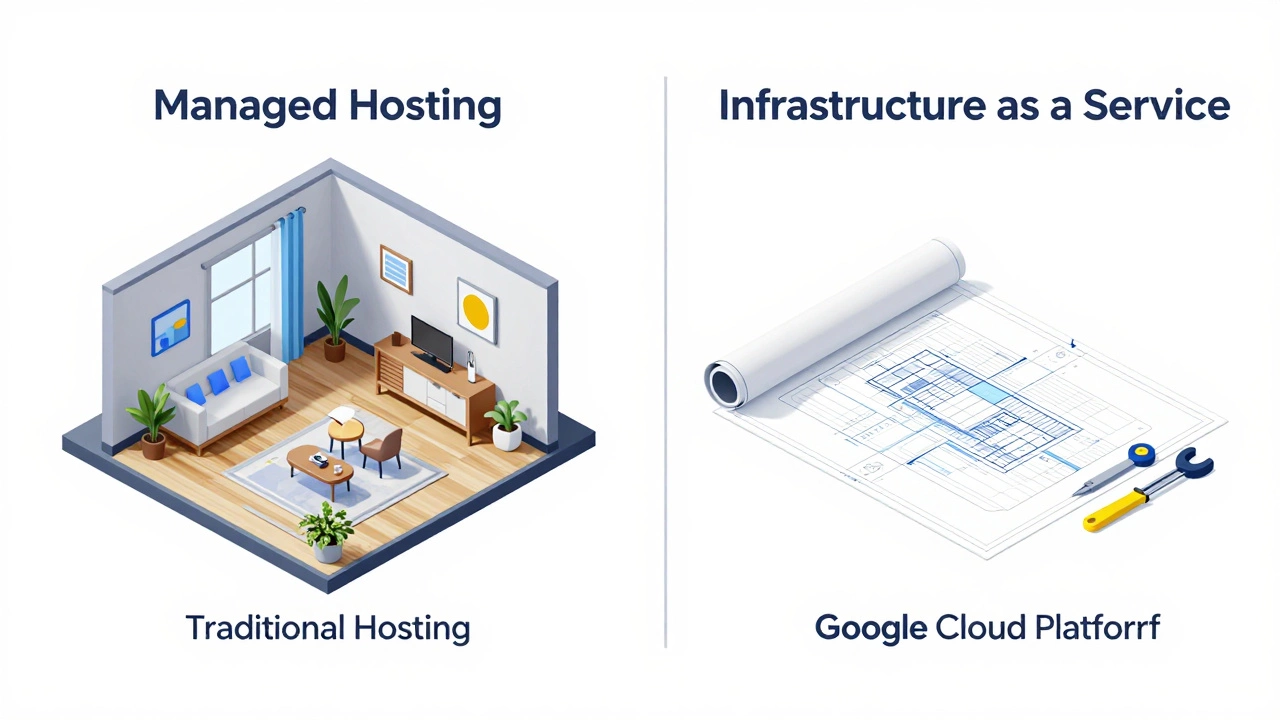
It's important to understand that Google Cloud Platform (GCP) is an Infrastructure-as-a-Service (IaaS) provider, not a traditional web host. When you use a company like Bluehost or Hostinger, they give you a control panel (like cPanel), an email setup, and a one-click WordPress installer. Google Cloud gives you a blank virtual machine. You are the admin. This means you have to install the OS, set up the web server (like Apache or Nginx), configure the firewall, and manage security updates yourself.
If you aren't comfortable with a command-line interface (CLI), the "free" aspect is offset by the steep learning curve. You'll spend hours reading documentation just to get a basic page to load. For a professional in India scaling a business, this control is an advantage. For a blogger who just wants to write, it's a nightmare. The trade-off is power versus convenience. With a traditional host, you pay for the convenience of a managed environment. With GCP, you pay (or save) by doing the manual labor yourself.
Hidden Costs and Pitfalls to Watch Out For
The biggest risk with "free" cloud hosting is the accidental bill. Because GCP is designed for enterprises, it's very easy to enable a feature that costs money. For instance, if you attach a larger Persistent Disk to your VM, you'll exceed the free storage limit. Or, if your site gets a sudden spike in traffic, you might exceed the 1 GB of network egress (the data leaving your server to reach the user's browser). Once you cross that 1 GB threshold, Google starts charging you per gigabyte.
Another thing to consider is the Static IP address. While the VM might be free, if you reserve a static IP address and don't actually attach it to a running instance, Google will charge you for it. They do this to prevent people from hoarding IP addresses. To avoid these surprises, you must set up "Budget Alerts." This is a feature in the billing console that sends you an email the moment your spend reaches, say, $1. Without this, you're flying blind.
Is it the Right Choice for Your Project?
Whether you should use the free tier depends entirely on your goals. If you're a student learning about Linux or testing a small API, Google Cloud is a goldmine. You get to use world-class infrastructure for zero cost. It's also a great way to learn how the cloud actually works before moving to a paid plan for a larger business venture.
However, if you're launching a commercial website in India, the free tier is likely too weak. The e2-micro instance's limited RAM (around 1GB to 2GB depending on the version) will struggle with heavy plugins or themes. You'll experience slow load times, which hurts your SEO. In that case, investing in a small VPS (Virtual Private Server) or a managed WordPress host is a better move. The few hundred rupees a month you spend on a paid host will save you dozens of hours of technical troubleshooting.

Step-by-Step: How to Get Started Safely
If you're still keen on trying it out, follow these steps to ensure you don't end up with an unexpected bill:
- Create a Google Account and sign up for the Google Cloud Console.
- Enter your credit card details. Yes, this is required for identity verification, even for the free tier.
- Claim your $300 credit. Use this period to experiment without fear.
- Go to the Billing section and set a Budget Alert for $1. This is your safety net.
- When creating your VM instance, specifically choose an e2-micro machine type and select a US region (e.g., us-central1) to qualify for Always Free.
- Install a lightweight OS like Ubuntu LTS to save system resources.
Do I need a credit card for Google Cloud free hosting?
Yes, Google requires a credit card or bank account for verification to prevent bot sign-ups. They won't charge you as long as you stay within the Free Tier limits, but the card is mandatory to activate the account.
Can I host WordPress on the Google Cloud free tier?
Technically yes, but it's difficult. You'll need to install a LAMP stack (Linux, Apache, MySQL, PHP) manually. Because the e2-micro instance has very little RAM, WordPress might run slowly or crash during updates unless you set up a Swap file to extend the virtual memory.
Is the free tier available for servers located in India?
No, the "Always Free" Compute Engine instance is only available in specific US-based regions. If you select a server in Mumbai or Delhi, you will be charged based on the standard pricing models.
What happens when the $300 credit expires?
Once the credits expire or the 90 days are up, your account moves to a "pay-as-you-go" model. If you are using resources that fall within the "Always Free" limits, you still won't be charged. If you are using paid services, your credit card will be billed automatically.
Is Google Cloud hosting better than Shared Hosting?
It's "better" in terms of power and control, but "worse" in terms of ease of use. Shared hosting is like renting a furnished apartment; everything is ready. Google Cloud is like renting a plot of land-you have to build the house yourself from scratch.
Next Steps and Troubleshooting
If you find the Google Cloud setup too complex, consider alternatives like Firebase, which is also owned by Google and offers a much simpler free tier for static websites and web apps. It removes the need to manage a server entirely.
If your site is running slow on the free tier, try installing a caching plugin or using a Content Delivery Network (CDN) like Cloudflare. This reduces the number of requests hitting your tiny e2-micro server, effectively making your "free" hosting feel a bit more powerful. If you see a "Disk Full" error, check your logs; the 30GB free disk can fill up quickly if your application generates large error logs.