Free Website Cost & Platform Calculator
Calculate the hidden costs of free website builders and compare professional alternatives.
Enter your details above to see the cost breakdown and platform analysis.
You want to launch a website. You also want to spend zero dollars. Is that possible? The short answer is yes. The longer, more honest answer is: it depends on what you mean by "website" and how much privacy you value.
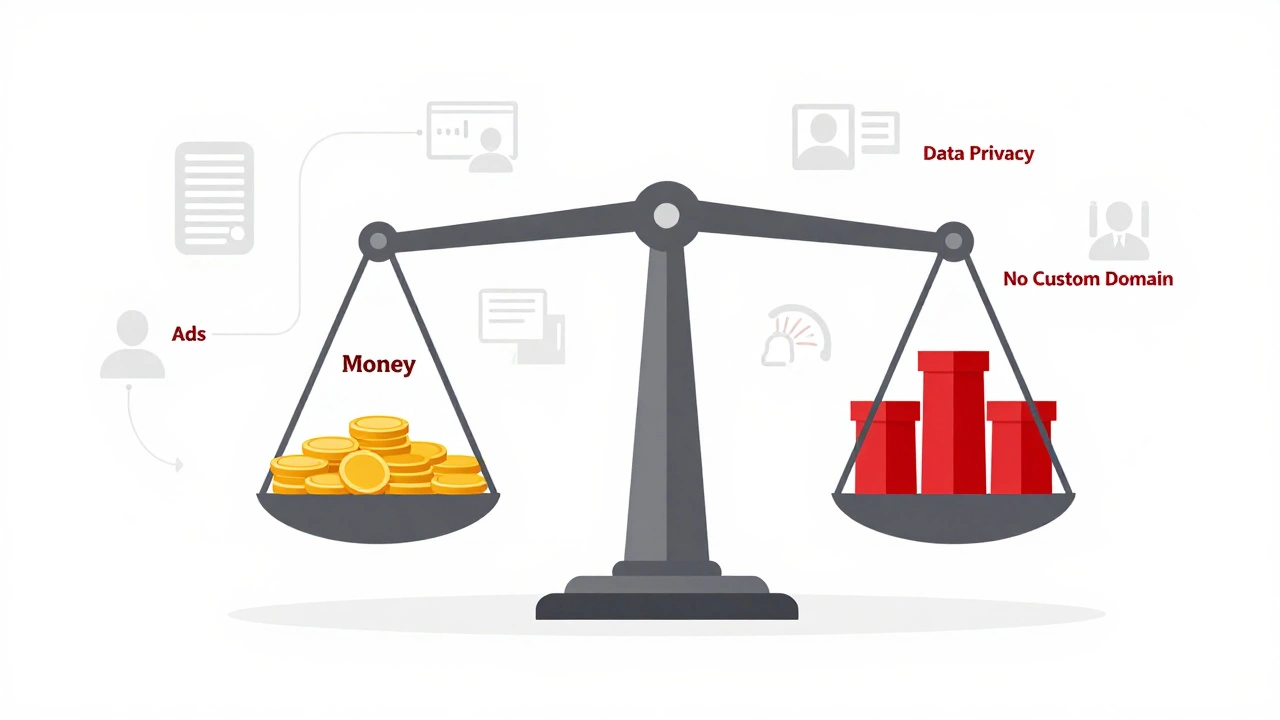
In 2026, the barrier to entry for publishing content online has never been lower. You can have a live URL with a homepage and an about page in under ten minutes without touching a credit card. But there is always a trade-off. If you are not paying with money, you are usually paying with your data, your brand credibility, or your control over the site’s features.
What Does "Free" Actually Mean?
When companies say their service is free, they rarely mean it costs them nothing to run. Servers cost money. Bandwidth costs money. Developer salaries cost money. So, where does the revenue come from?
Most free website builders platforms that allow users to create sites without upfront fees operate on a "freemium" model. They give you the basics for free to hook you into their ecosystem. Once you grow, they nudge you toward paid plans. Or, they monetize your audience directly.
Here are the three main ways free platforms make money:
- Advertising: They place banner ads or pop-ups on your site. You cannot remove these. This makes your site look cluttered and unprofessional.
- Data Collection: They track your visitors’ behavior and sell that aggregated data to advertisers. This raises privacy concerns for your audience.
- Upselling: They lock essential features behind a paywall. Things like removing the platform’s branding, connecting a custom domain, or accessing analytics require a monthly fee.
If you are building a personal hobby blog or a portfolio to show friends, this might be fine. If you are trying to build a business, these limitations become roadblocks quickly.
The Top Free Website Builders in 2026
Not all free platforms are created equal. Some are better for writing, others for visual design, and some for selling products. Here is a breakdown of the most popular options available right now.
| Platform | Best For | Custom Domain? | Ads Displayed? | Storage Limit |
|---|---|---|---|---|
| WordPress.com | Blogging & Writing | No (subdomain only) | Yes (minimal) | 1 GB |
| Wix | Visual Design & Portfolios | No (wixsite.com) | Yes (prominent) | 500 MB |
| Weebly | Simplicity & Small Stores | No | Yes | 500 MB |
| GitHub Pages | Developers & Static Sites | Yes (if you buy one) | No | 1 GB |
| Neocities | Retro Web & HTML Enthusiasts | No (neocities.org) | No | 1 GB |
WordPress.com: The Blogger’s Choice
If your primary goal is writing, WordPress.com a hosted blogging platform owned by Automattic remains the gold standard for free tiers. It offers a clean interface, strong SEO foundations, and access to thousands of free themes.
The catch? You get a subdomain like yourname.wordpress.com. You cannot install plugins on the free plan, which limits functionality significantly compared to self-hosted WordPress.org. Also, while the ads are less intrusive than Wix’s, they are still there. If you plan to write long-form content and build an email list, this is a solid starting point.
Wix: Drag-and-Drop Freedom
Wix a cloud-based web development platform gives you total creative control with its drag-and-drop editor. You can move elements anywhere on the page. This is great for portfolios, restaurants, or small businesses that need a visually striking landing page.
However, the free version slaps a large Wix ad banner at the top of every page. Your URL will look like username.wixsite.com/siteaddress. This hurts your credibility instantly. Clients may perceive your business as amateurish. Use Wix free only if you are testing designs before committing to a paid plan.
GitHub Pages: For the Tech-Savvy
If you know even a little bit of HTML and CSS, GitHub Pages a static site hosting service provided by GitHub is arguably the best "free" option. There are no ads. No forced banners. You can connect a custom domain name (though you must buy the domain itself, usually for $10-$15/year).
It is not a drag-and-drop builder. You upload code files. But for developers, students, or anyone wanting a professional-looking site without vendor lock-in, this is the superior choice. It is fast, secure, and completely free for public repositories.
The Hidden Cost: Custom Domains
Let’s talk about the elephant in the room: your URL. A free website almost always forces you to use a subdomain provided by the platform. Examples include:
mybusiness.wixsite.commyblog.wordpress.commysite.weebly.com
Why does this matter? Three reasons:
- Trust: Users are wary of clicking links that don’t look like legitimate businesses. A subdomain screams "amateur project."
- SEO: Search engines treat subdomains differently. While Google indexes them well, you do not own the root domain authority. If the platform shuts down or changes policies, your ranking history could vanish.
- Branding: You cannot build a brand around someone else’s name.
yourname.comis an asset.yourname.platform.comis a rental.
To get a custom domain like yourname.com, you typically need to upgrade to a paid plan. However, there is a workaround. You can register a domain through a registrar like Namecheap or Cloudflare (often $9-$12/year) and point it to a free hosting provider that allows custom domains, such as GitHub Pages or Netlify. This requires technical setup but keeps costs near zero.
When Should You Pay?
There is no shame in using a free plan forever if it meets your needs. But consider upgrading when:
- You start making money: If your website generates income, even $10/month is negligible overhead. Reinvesting in a professional domain and ad-free experience signals seriousness to customers.
- You need specific features: E-commerce capabilities, advanced analytics, email marketing integration, and priority support are almost always premium features.
- You care about data ownership: On free platforms, you often cannot export your data easily. If you leave, you may lose your content structure or subscriber lists.
Step-by-Step: Building Your First Free Site
Ready to start? Here is a simple path to go from idea to live URL in under an hour.
- Choose your niche: Are you blogging, showcasing photos, or listing services? Pick a platform that matches. Writers choose WordPress.com. Visual artists choose Wix or Carrd.
- Create an account: Sign up with your email. Avoid using social media logins if you want to keep things separate.
- Select a template: Don’t start from scratch. Choose a pre-made theme that fits your industry. Customize colors and fonts to match your taste.
- Add core pages: At minimum, create a Home, About, and Contact page. Write genuine content. Avoid lorem ipsum placeholder text.
- Publish: Hit publish. Share your link. Test it on mobile devices. Most free templates are responsive, but glitches happen.
Alternatives to Traditional Builders
If traditional drag-and-drop builders feel too restrictive, consider these alternatives:
- Medium: Not a website per se, but a publishing platform. Great for writers who want an audience without managing design. No custom domain, but high discoverability.
- LinkedIn Articles: If your goal is B2B networking, publishing long-form posts on LinkedIn reaches your target audience directly. Zero cost, high visibility.
- Substack: Combines blogging with newsletters. Free to start, takes a cut only if you charge subscribers. Excellent for building a direct relationship with readers.
Final Thoughts on Free Websites
Can you build a website for free? Absolutely. Should you stay on a free plan forever? Only if you have no intention of growing your online presence professionally.
Think of a free website as a prototype. It allows you to test ideas, practice writing, and learn digital skills without financial risk. Once you validate your concept, invest in a custom domain and a reliable host. The difference between a free subdomain and a branded .com address is the difference between a flyer taped to a pole and a storefront on Main Street.
Is a free website safe?
Generally, yes. Major platforms like WordPress.com and Wix provide SSL encryption and regular security updates. However, because you do not control the server, you rely entirely on their security practices. Always use strong passwords and two-factor authentication.
Can I move my free website to a paid host later?
It depends on the platform. Moving from WordPress.com to self-hosted WordPress.org is relatively easy via XML import. Moving from Wix or Weebly is difficult because their code is proprietary. You may need to manually copy and paste content.
Do free websites rank on Google?
Yes, but they face stiffer competition. Subdomains have less authority than root domains. Additionally, ads and slow loading speeds on free plans can hurt user experience metrics, which Google uses for ranking. Focus on high-quality content to compensate.
What is the cheapest way to get a custom domain?
Register a domain through Cloudflare or Namecheap. Prices range from $9 to $15 per year for a .com extension. Then, connect it to a free hosting service like GitHub Pages or Netlify, which allows custom domains without requiring a paid hosting plan.
Can I sell products on a free website?
Most free plans restrict e-commerce features. Wix and Squarespace offer limited store functionality on free tiers but charge transaction fees and display ads. For serious sales, you need a paid plan to accept payments securely and manage inventory.