Blogging Platform SEO Matcher
Answer these three questions to find your ideal SEO-friendly platform.
Platform Name
Description goes here.
Quick Takeaways
- WordPress.org remains the gold standard for total control and advanced SEO plugins.
- Ghost is the best choice for speed and built-in SEO basics without the bloat.
- Medium and Substack are great for immediate reach but terrible for long-term brand ownership and custom SEO.
- Technical SEO depends more on your hosting and theme than the platform itself.
When people ask which blog is best for SEO, they're usually asking about a Content Management System (CMS) is a software application used to create and manage digital content without needing to write all the code from scratch . You have two main paths: self-hosted platforms where you own the keys, and hosted platforms where you're essentially renting space. This choice dictates whether you can actually optimize your technical metadata or if you're stuck with whatever the platform provides.
The Heavyweight Champion: WordPress.org
Let's be clear about the difference: WordPress.com is a hosted service, but WordPress.org is the open-source software you install on your own server, giving you 100% control over your files and database . For anyone serious about best blogging platform for SEO, the .org version is the only one that truly matters. Why? Because it allows you to modify every single aspect of how search engines see your site.
The real power here is the ecosystem. You can install Yoast SEO or Rank Math, which are plugins that act like a checklist for your content. They help you manage meta titles, descriptions, and XML sitemaps. If you want to implement a complex internal linking strategy or use schema markup to get those fancy star ratings in search results, WordPress is where you do it.
But there's a catch. Because WordPress is so flexible, it's easy to make it slow. If you install twenty different plugins and a heavy theme, your Core Web Vitals-which are the metrics Google uses to measure user experience-will tank. To win with WordPress, you need a lightweight theme and a fast hosting provider.
The Speed Demon: Ghost
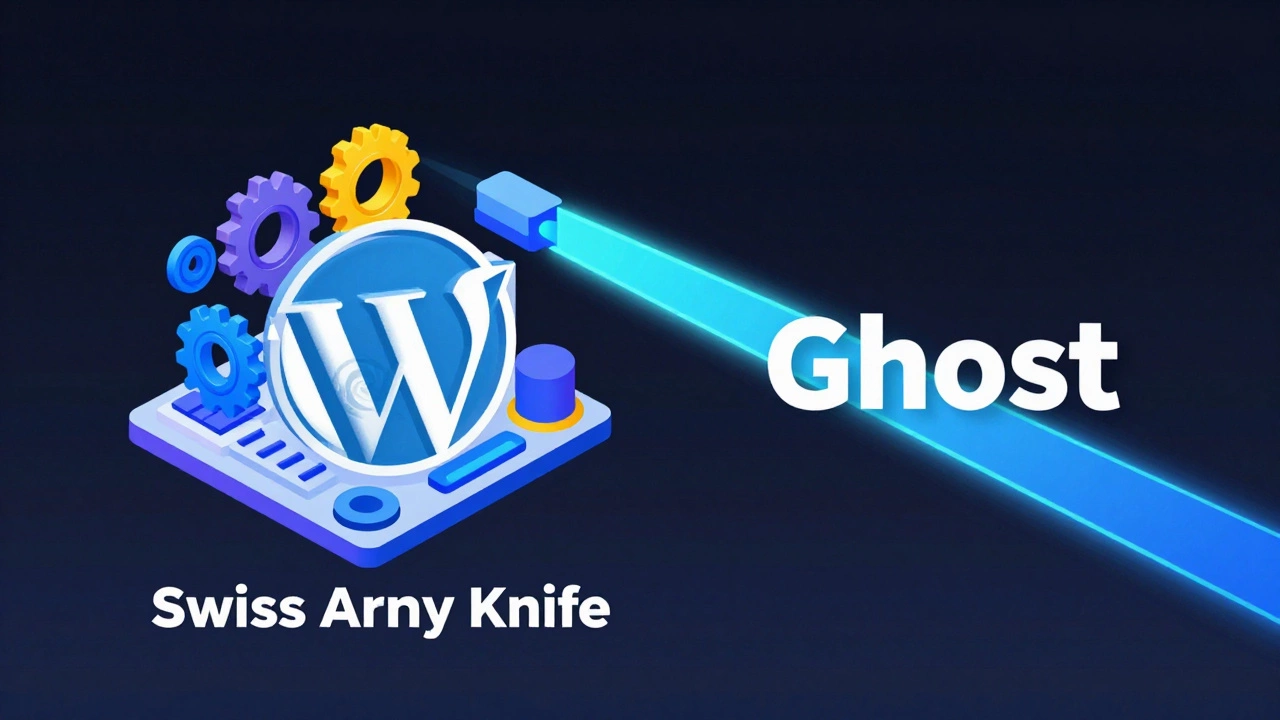
If WordPress is a Swiss Army knife, Ghost is a laser-focused scalpel. It's a modern platform built on Node.js, which makes it incredibly fast right out of the box. In the world of SEO, speed is a ranking factor. A site that loads in under a second has a massive advantage over a bloated site.
Unlike WordPress, Ghost doesn't require a dozen plugins to be SEO-friendly. It handles the basics-like clean URLs, canonical tags, and automatic sitemaps-natively. You don't have to worry about a plugin update breaking your site. For writers who want to focus on content and let the technical side happen automatically, Ghost is a breath of fresh air.
| Feature | WordPress.org | Ghost | Medium / Substack |
|---|---|---|---|
| URL Customization | Full Control | High Control | Limited |
| Page Speed | Depends on Setup | Very Fast | Fast |
| Schema Markup | Advanced (via Plugins) | Basic / Built-in | None / Automatic |
| Ownership | 100% Owned | 100% Owned | Rented Space |
The 'Borrowed' Audience: Medium and Substack
You'll often hear people say Medium is "better for SEO" because a post can rank on page one in hours. This is a misunderstanding of how SEO works. Medium has massive Domain Authority, which is a score that predicts how well a website will rank on search engine result pages . When you post there, you're piggybacking on their reputation, not building your own.
If you build your entire business on Substack, you're basically building a house on rented land. You have very little control over the technical SEO elements. You can't add custom meta tags for specific pages or optimize your site's structure for a complex set of keywords. These platforms are incredible for distribution and newsletters, but they aren't "SEO platforms" in the sense that they help you grow a searchable asset you actually own.
Technical Requirements for SEO Success
Regardless of whether you pick WordPress or Ghost, your SEO will fail if you ignore the infrastructure. First, you need a SSL Certificate. If your site says "Not Secure" in the browser, Google will push you down the rankings and users will bounce immediately. This is a non-negotiable.
Second, consider your Hosting. If you're using a cheap shared hosting plan where your site shares resources with 2,000 other websites, your load times will be erratic. For a professional blog, look for managed hosting or a VPS (Virtual Private Server) to ensure your server response time stays low.
Finally, focus on the mobile-first index. Since 2019, Google primarily uses the mobile version of a site for indexing and ranking. If your chosen theme looks great on a desktop but is a nightmare to navigate on an iPhone, your SEO efforts are wasted. Test your site using a mobile emulator to make sure buttons are clickable and text is readable without zooming.

Avoid These Common Platform Pitfalls
Many bloggers fall into the trap of "Plugin Overload." They install a plugin for every tiny feature-one for social sharing, one for related posts, one for a popup, and another for image compression. Every plugin adds a layer of code that the browser has to load. This slows down your First Contentful Paint (FCP) and hurts your rankings.
Another mistake is ignoring the URL structure. Some platforms generate URLs like mysite.com/p=123. This is a disaster for SEO. You want descriptive, keyword-rich slugs like mysite.com/best-seo-blog-platforms. If your platform doesn't let you change the URL slug of a post, get a different platform.
Lastly, don't confuse traffic with SEO. A post on Medium might get 10,000 views from the Medium internal algorithm, but that doesn't mean it's ranking well on Google. True SEO is about attracting users from search engines to a destination you control.
Is WordPress still the best for SEO in 2026?
Yes, because of the level of control it offers. While other platforms are faster out of the box, WordPress allows you to fine-tune every technical detail-from robots.txt files to complex schema markups-which is essential for competitive niches.
Can I do SEO on Substack?
Only to a limited extent. You can optimize your headlines and content, but you have almost no control over the technical side (like meta tags or site structure). It's a great tool for growth, but not a comprehensive SEO strategy.
Does the platform actually affect Google rankings?
The platform itself isn't a ranking factor, but the results of the platform are. Speed, mobile responsiveness, and a clean URL structure are all ranking factors. A platform that makes these things difficult will indirectly hurt your rankings.
Should I use a page builder like Elementor for SEO?
Be careful. Page builders often add a lot of "div bloat" (excessive HTML code) which can slow down your page. If you use one, make sure to use a caching plugin and an optimized hosting environment to offset the performance hit.
Which is better for beginners: Ghost or WordPress?
For those who want to write and not worry about technical maintenance, Ghost is better. For those who want to build a complex business with various features (like e-commerce or forums) and have total control over SEO, WordPress is the way to go.
Next Steps for Your Blog
If you're just starting, don't let "platform paralysis" stop you from writing. Pick WordPress.org if you like to tinker and want maximum growth potential. Pick Ghost if you value speed and simplicity. If you're already on a platform and want to improve your SEO, start by auditing your page speed using Google PageSpeed Insights and fixing any "Red" metrics first.
Once your technical foundation is solid, move your focus to content depth. Google is increasingly rewarding "Information Gain"-meaning you provide new, unique perspectives or data that aren't already in the top 10 results. No platform can optimize for that; only your brain can.